Product image supplied by the brand
In this guide
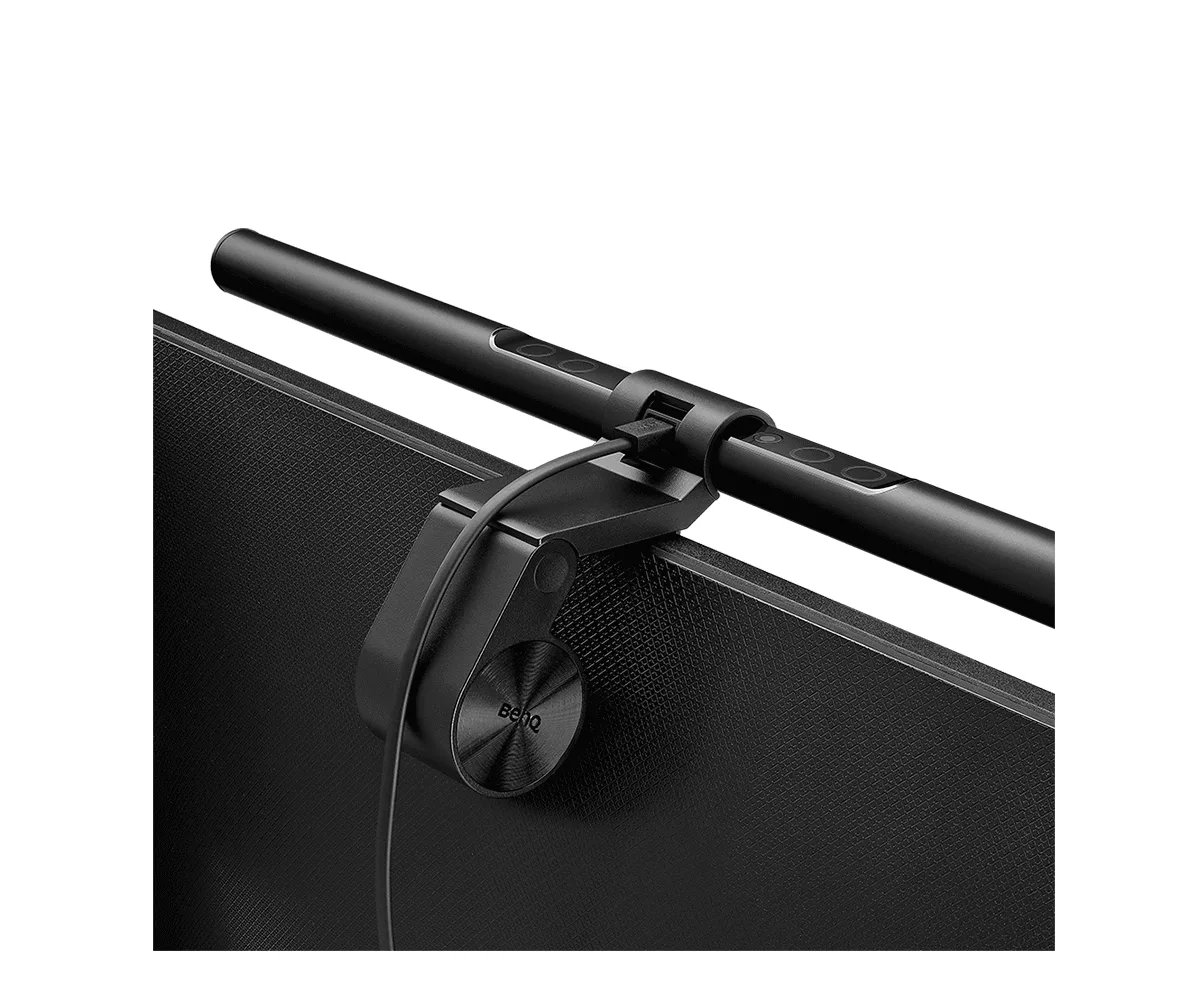
BenQ introduced the ScreenBar in 2017 as the first light bar built to sit on top of a monitor, and the idea has since been copied widely enough that the original is now the plain model in a family that includes the Halo 2, the Pro, the Max and an iMac-specific iScreenBar. The base ScreenBar is a 45 cm bar in black aluminum and polycarbonate, hung from a counterweight clamp, powered by USB, and priced at $109 on BenQ's US store.
The reason it exists is glare. A desk lamp aimed at a keyboard also throws light at the display, so the screen washes out and the eyes fight two brightness levels. The ScreenBar's reflector is shaped so the beam falls only on the desk in front of the monitor, and a sensor on top reads the room and fills the desk to roughly 500 lux. Whether that engineering is worth $109 when a clamp lamp from IKEA costs $19.99 is the question this piece works through.
Our verdict
The ScreenBar solves the one lighting problem a desk lamp cannot, glare-free light in front of a monitor, and does it with a sensor that sets brightness for you; the $109 price and the 1 to 3 cm clamp range are the pair of items to check ahead of ordering.
- A good fit for
- A desk where the monitor is the whole workspace, the room light is dim or uneven, and there is no room or appetite for a lamp base.
- We would skip it if
- Your monitor is thicker than 3 cm or has a bulging back, you read on paper more than on screen, or you need a light you can aim at a project across the desk.
Reasons to consider it
- Asymmetric optics light a 60 × 30 cm patch to 500 lux without reflecting off the screen
- Built-in ambient sensor holds the desk near 500 lux automatically, with 15 manual levels and 8 color temperatures from 2700 to 6500 K
- Runs from a 5 V / 1 A USB output at 5 W, clamps without a base, and comes with a 150 cm Type-C lead
The compromises
- The clamp is rated for monitors 1 to 3 cm thick; thicker panels and bulging backs are excluded by BenQ's own compatibility notes
- It is a screen light, not a room or task lamp: the head tilts 20° and the beam stays on the desk in front of the monitor
- $109 for a fixed 45 cm bar, marked temporarily out of stock on benq.com during research, while the ScreenBar Pro is $139 and in stock
What we have not verified: The bar was not mounted for this piece; whether the counterweight clamp behaves on a specific monitor, how visible the light is when seated low, and the real spread at 500 lux on a dark desk surface are not verified.
The things in this guide
A closer look at the products, who they may suit, and what to check before buying.
ScreenBar Monitor Light Bar
Auto-dimmed, glare-free light on a 60 × 30 cm patch, 2700 to 6500 K in eight steps with Ra ≥ 95, from any 5 V USB output, with no base on the desk.
Before you buy: Clamp range is 1 to 3 cm of monitor thickness, the beam does not reach past the keyboard, and BenQ US showed it out of stock at $109 during research.
Price checked September 11, 2026. Retailer prices can change.Light on the desk, none on the screen
BenQ's pitch is an asymmetric reflector: a curved inner panel bends the LED output forward and down so the illuminated zone starts at the monitor's foot and spreads across the keyboard, and the display itself sits outside the beam. The company specifies a 60 × 30 cm area lit to 500 lux, the level it cites from the American National Standard for office lighting, and a center reading of 930 lux at a 45 cm drop. The head can be tilted up to 20° to move that patch toward or away from you.
The sensor on top of the bar is the second half of the design. It reads ambient light and adjusts the LED output so the desk sits near 500 lux, which means the bar runs dim in a bright room and brighter after dark without a hand on the button. Manual override remains: 15 brightness steps and 8 color temperatures between 2700 K warm white and 6500 K cool white, all of which BenQ says fall within ANSI ranges. The bar remembers the last brightness and color setting when switched back on.
A counterweight clamp with a narrow thickness window
The bar is 45 cm wide, 9 cm deep and 9.2 cm tall including the clamp, and weighs 0.53 kg net. The clamp is a hinged counterweight that hangs over the back of the monitor instead of a spring clip, and BenQ's compatibility guidance is specific: flat or curved monitors between 1 and 3 cm (0.4 to 1.2 in) thick at the top edge. Monitors whose top bezel is not horizontal, whose back has two bevels, or whose non-planar back sits less than 6.5 cm below the top edge are shown as poor fits. Anything thicker than 3 cm at the top edge falls outside the window; the family comparison table on the overview shows newer ScreenBar models rated for 6 cm and beyond.
Power is a 5 V / 1 A USB output, drawing a maximum of 5 W, over a 150 cm Type-C lead that ships with the bar. Any monitor USB hub, laptop or phone charger qualifies, so there is no wall adapter and no cord running to a base. In the box BenQ lists the light bar, the clamp, the cable, installation notes and a warranty card. The materials are aluminum alloy and polycarbonate, and BenQ publishes its own durability tests: 10,000 head rotations, 10,000 clamp cycles, a 50 cm drop and a -20 °C to 65 °C temperature soak.
Ra 95, flicker-tested, and blue-light certified
The light source is a dual-color LED array, warm and cool chips mixed to hit the eight temperature steps, with a color rendering index BenQ states as Ra ≥ 95 on the specifications tab and Ra > 95 on the overview. For a desk light that number matters mainly if you check printed proofs or product colors under it; for typing, the practical benefit is that skin and paper look neutral instead of green-tinged.
BenQ also lists a non-flicker driver tested against IEEE PAR 1789 for LED luminaires, blue-light compliance with IEC/TR 62778 and IEC/EN 62471, EMF assessment to IEC 62493 and EU RoHS materials. Not one of those is exotic for a $109 lamp, but they are stated, which the $19.99 TERTIAL and $39.99 FORSÅ cannot claim because they ship without a bulb and inherit whatever LED you screw in. The ScreenBar's LEDs are not replaceable, so the trade is a known light source against a fixed lifespan.
$109, out of stock, and nearly three IKEA lamps' worth of money
BenQ US prices the ScreenBar at $109 and, at the time of research, marked it temporarily out of stock with a notify-me button and a note that authorized retailers may still have it; the ScreenBar Pro was in stock at $139 on the same store. Checkout terms on BenQ's site include a 30-day free-return period with free return shipping in the contiguous US, and one year of cover. The separate lamps warranty document from BenQ America adds detail: one year from the date of the sale, parts and labor, BenQ choosing repair or a swap, BenQ pays shipping both ways while in warranty, and dead-on-arrival units must be reported inside a month.
The IKEA comparison is the useful one for this site. The TERTIAL clamp lamp is $19.99 and the FORSÅ desk lamp is $39.99, and both aim a symmetric cone of light wherever the arm points, including at the screen. They are better choices if you read paper, sketch, solder or need light on a shelf. The ScreenBar cannot do any of that; it is a fixed strip that lights only the 60 × 30 cm patch under the monitor. Paying $109 buys the sensor, the glare-free geometry and the absence of a base, none of which a bulb in a cheaper lamp can supply.
Skip it if your desk work is not on the screen
Measure the top edge of your monitor first. If it is thicker than 3 cm, has a sloped bezel or a bulging back, BenQ's own diagrams show the clamp does not suit it, and one of the newer ScreenBar models with a wider rated range is the one to consider instead. Also pass if the light you need is for a notebook, a drawing board or a workbench beside the monitor; the beam stops at the keyboard, the head only tilts 20°, and a $19.99 TERTIAL on an arm will reach where the bar cannot.
Walk away as well if you were hoping for a room light. At 5 W and 930 lux at the center, the ScreenBar is bright on the desk and invisible everywhere else by design. And with the bar out of stock on benq.com at the time of writing, the sensible move for a buyer set on it is to wait for the notify-me email or buy from a retailer BenQ lists as authorized, since the lamps warranty ties coverage to purchases from BenQ's store or an authorized US retailer.
How we put this together
Built from the product pages and listings below, without test scores or results we have not measured. Specifications and prices change, so check the original page for the exact model, current price, delivery, and returns.
- BenQ US: ScreenBar overview (opens in a new tab)
- BenQ US: ScreenBar specifications (opens in a new tab)
- BenQ US: ScreenBar buy page (opens in a new tab)
- BenQ America: Lamps end-user limited warranty (opens in a new tab)
- BenQ US: ScreenBar Pro buy page (opens in a new tab)
- IKEA US: FORSÅ work lamp (opens in a new tab)
- IKEA US: TERTIAL work lamp (opens in a new tab)